01~5 seconds
Drop in your clip.
MP4, MOV or WebM up to 1 GB, vertical or wide. Your browser pulls out the audio and sends only that, about 1 MB a minute, for transcription. The video stays on your device.

Drop in a clip and get captions timed to every word. Fix any misheard word, pick a style and download an MP4 for TikTok, Reels, Shorts or YouTube. It all happens in your browser, and the video never leaves your device.
MP4, MOV or WebM up to 1 GB, vertical or wide. Your browser pulls out the audio and sends only that, about 1 MB a minute, for transcription. The video stays on your device.
Captions come back on a timeline, one word at a time. Correct a word, drag a caption to retime it, pick a preset, then change the font, color, glow or motion. Any single word can have its own size and color.
Download an MP4 with the captions burned in, at your video’s original size, ready for TikTok, Reels, Shorts or YouTube. Or take .srt and .vtt files for YouTube and other players.
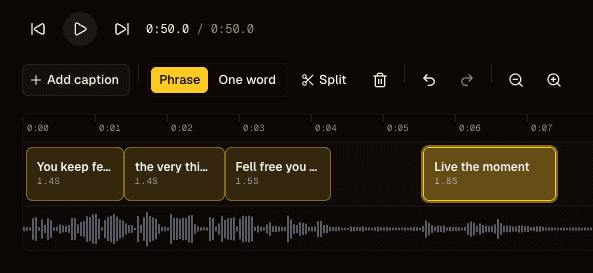
Captions sit on top of the audio waveform, so you can see where each word starts. Drag a caption to move it, split it at the playhead, or trim its edges.
Presets give you a finished look in one click. From there, change the font, color, outline and glow, or switch to a glass or metallic finish. Apply a style to every caption, or only to the one you selected.
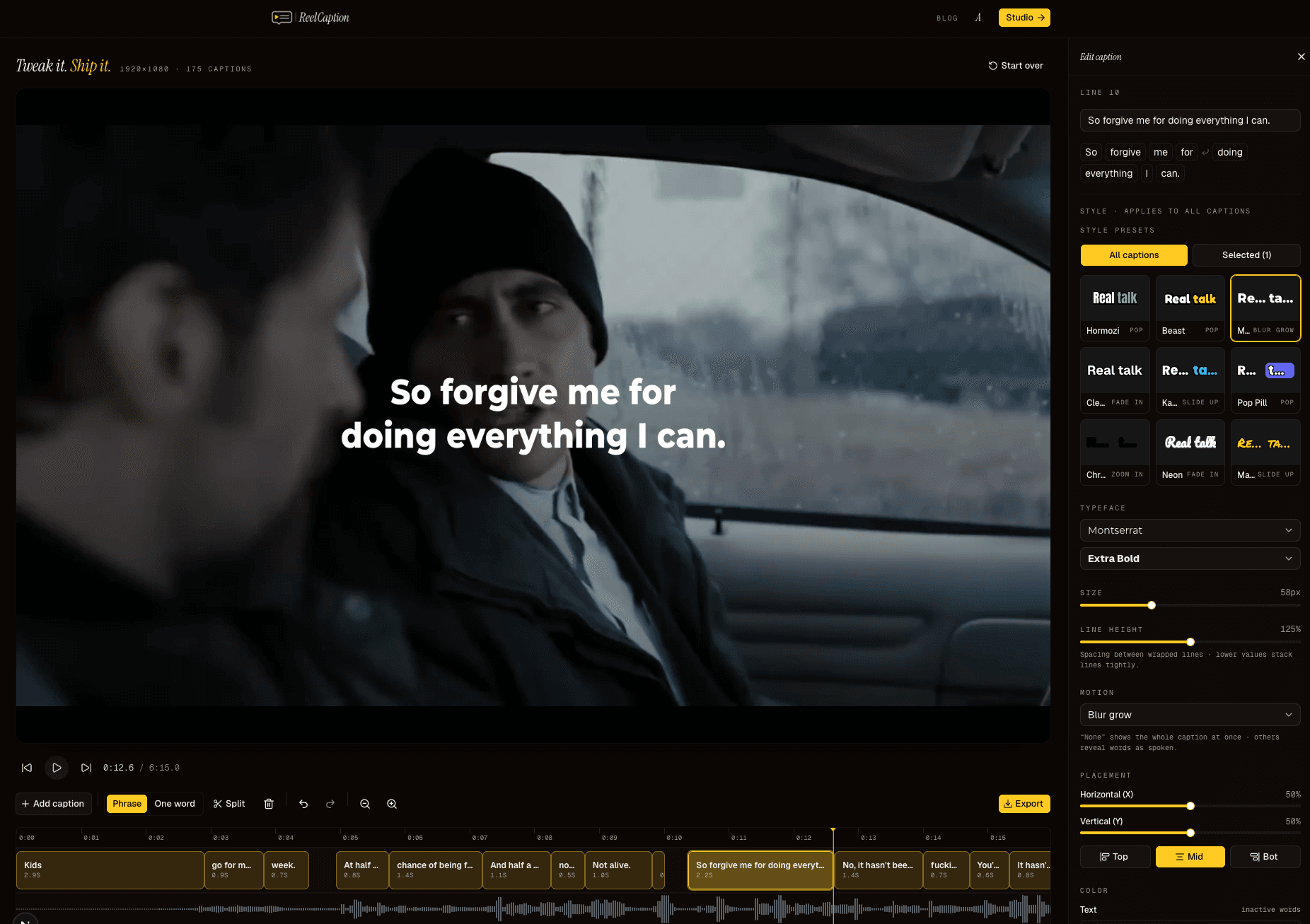
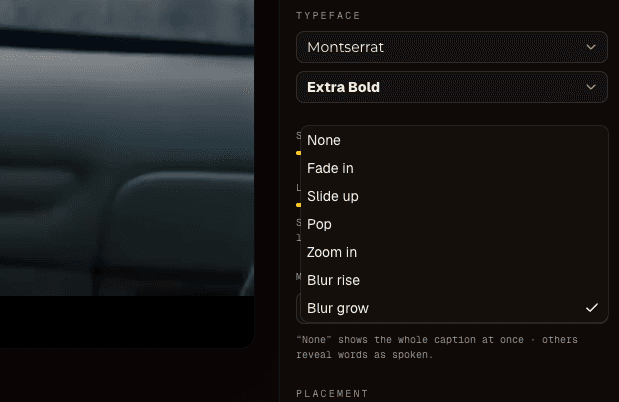
Each word can pop, slide up or blur in at the moment it is said. The current word is highlighted in color or sits inside a pill, so viewers can follow along with the sound off.
Whisper returns a start and end time for every word, so the highlight lands on the word as it is spoken. You never nudge captions into sync by hand.
The same renderer draws the preview and the exported MP4. Fonts, glow and position come out as you set them.
Start from a preset or set your own look with 16 fonts, outline, glow and glass or metallic finishes. Then make one word bigger, or a different color, without touching the rest of the line.
The MP4 keeps your video’s original size, so a 9:16 Reel stays 9:16 and a 16:9 YouTube video stays 16:9. You can also download .srt and .vtt files.
Captioning, styling and MP4 export all work on the free plan, and nothing gets stamped with our logo. Paid plans only add minutes.
Your browser encodes the MP4 with WebCodecs and copies the audio across untouched. An export takes roughly as long as the clip, and the video never leaves your device.
Sign in with Google for 5 free minutes every month, no card. Pro is $5 a month for 100 minutes, and Creator is $15 for 600. Paying yearly gets you 2 months free, and you can cancel any time.
About 3 minutes of video a day.
About 20 minutes of video a day.
Your first 2 clips need no account. After that, 5 minutes a month are free with Google sign-in, and Pro is $5 a month.
We use cookies to analyze usage and improve the product. See our privacy policy.